 CrawlPact
Google Generative AI Performance Reports Are Global: What Site Owners Can Learn
By CrawlPact · Published · Sources verified
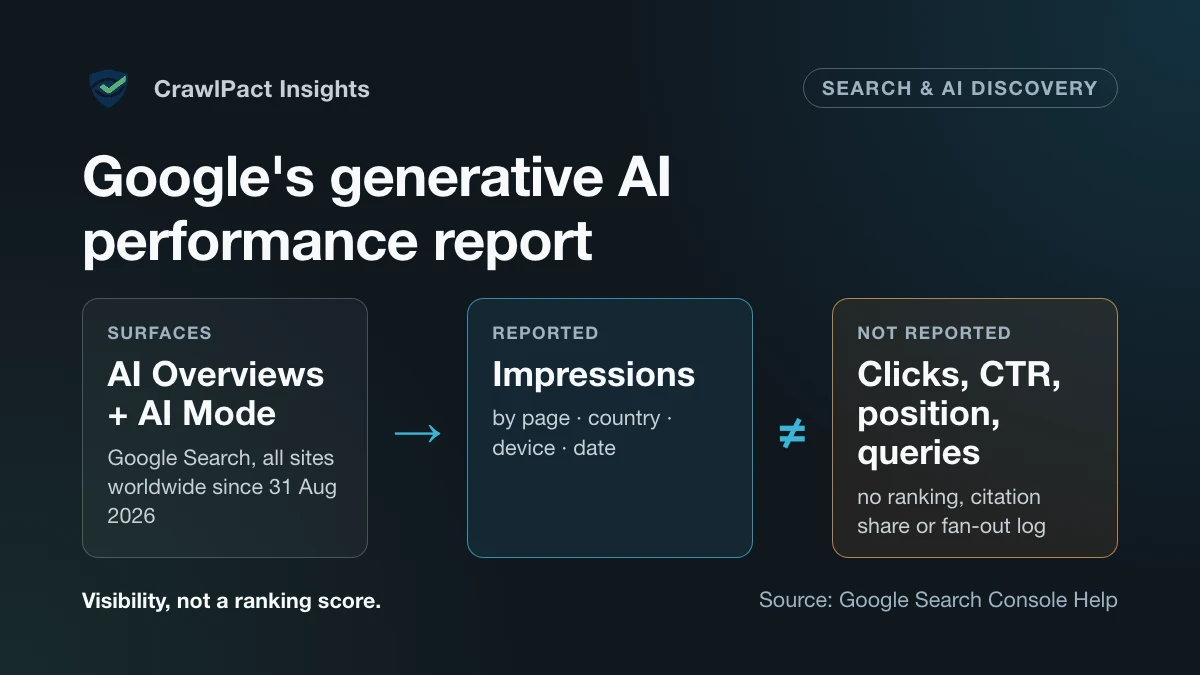
Google has turned generative-AI visibility from a largely inferred SEO question into a first-party Search Console measurement. On 3 June 2026 Google announced dedicated generative AI performance reports for Search and Discover, initially for a subset of sites. Google’s announcement and its help documentation now both carry the same note: as of 31 August 2026, the reports have rolled out to all websites worldwide. For Search, the report covers AI Overviews and AI Mode.
Key takeaway. The report is valuable because it separates generative-AI visibility from ordinary Search reporting. It is not an “AI ranking report”. Use it to see where your site appears, which pages earn impressions and how that changes over time — then connect those observations to your own engagement and conversion data.
What Google is actually measuring
Google’s help documentation defines the report’s metric as impressions: “how many times links to your site were shown to a user in a generative AI feature on Google Search.” You can group them by four dimensions:
- Pages — the final URL a generative AI feature linked to, after redirects, with most data assigned to the page’s canonical URL, as in the regular performance report;
- Countries — where the search originated;
- Devices — desktop, tablet or mobile;
- Dates — days, weeks or months, in Pacific Time.
A search-type filter separates text-based web searches from multimodal ones (Google Lens, Circle to Search and other image searches), and an export button downloads the chart and table data. Google says experiments in Search Labs are not included.
The report is a separate view, not separate data. Google’s announcement says generative AI impressions remain part of the overall performance report, and the help page says the report draws on the Web search type of the regular Performance report. What changed is that the AI Overviews and AI Mode share of that visibility can now be isolated rather than guessed at.
The useful mental model is simple: an impression means Google showed a link to your site inside a supported generative AI Search experience. It does not mean the user clicked it, read it, or even noticed it, and the report does not say where the link sat in the generated response.
What the report does not tell you
The report has one metric. It has no clicks, click-through rate, average position or query dimension, and Google’s documentation does not describe it as a citation-share system, a ranking report, a prompt log or an authority score.
That matters because Google separately explains that its generative features use retrieval-augmented generation and query fan-out — “a set of concurrent, related queries generated by the model to request more information.” The report is not a transcript of that process. You cannot see which fan-out queries led to your page, only that a link to it was shown.
Two mechanics are easy to misread:
- Chart and table totals can differ. Google aggregates the chart by property (two results from the same site in one AI feature count as one impression) but groups the table by page. A page-level sum is therefore not the site total.
- The newest data is preliminary and can change for a few hours after it first appears.
Above all, the report cannot prove that a content edit caused a change. Search demand shifts, competitors publish, Google’s systems change, and the device and country mix moves. A page can gain generative AI impressions because the topic became more popular, not because a heading rewrite “worked.” Treat the data as observational, and compare longer periods before drawing conclusions.
A second 31 August change: the Search generative AI control
The same day, Google’s help documentation records a second worldwide rollout: the Search generative AI control in Search Console (Settings → Search generative AI). It lets a property include or exclude its links and content from AI Overviews, AI Mode and generative AI features in Discover. Including is the default. Google says excluding removes the site from those features — links, and use of its content to ground responses — and that the control “isn’t used as a ranking or inclusion signal affecting other parts of Search.”
That gives site owners three separate Google levers, each with its own scope:
| Lever | Where it is set | What Google says it governs |
|---|---|---|
Googlebot rules |
robots.txt |
Crawling for Google Search as a whole |
Google-Extended |
robots.txt |
Training future Gemini models and grounding in Gemini Apps and Vertex AI — not Search inclusion |
| Search generative AI control | Search Console settings | Inclusion in AI Overviews, AI Mode and Discover’s generative AI features |
Google’s own help page links the control and the report: it suggests using the generative AI
performance report to “get an idea of how changing your control may impact traffic to your site.”
The report is therefore the before-and-after instrument for a publisher-control decision, not
just a vanity chart. A robots.txt token cannot show you this; CrawlPact’s
Google-Extended vs. Googlebot guide covers the crawler
side of the same decision.
Why the report is strategically useful
The strongest use is not chasing a new optimisation label. It is finding which parts of your existing information architecture already surface in AI Overviews and AI Mode, and then checking whether that visibility supports real outcomes. For a technical SaaS site, a review can start with four questions:
- Which URLs receive the most generative AI impressions — product pages, reference pages, guides, research, or tools?
- Are impressions concentrated in the countries and devices that matter to your audience?
- Do the pages gaining visibility also produce meaningful downstream activity — tool use, audit starts, account creation?
- Do pages with important search intent get no generative AI visibility at all? If so, is the cause content quality, indexing eligibility, weak internal linking, low demand, or not enough data yet?
An impressive chart can coexist with zero new users. A modest number of high-intent impressions can be worth more than a large volume of broad informational exposure.
Do not turn the report into a “GEO score”
Google’s May 2026 guide to generative AI features is direct: “The best practices for SEO continue to be relevant because our generative AI features on Google Search are rooted in our core Search ranking and quality systems.” It asks for content built on real experience rather than recycling “what others on the internet have already said,” and it warns that creating separate content for every possible variation of how people might search — including fan-out queries — “primarily to manipulate rankings or generative AI responses” violates Google’s scaled content abuse spam policy.
Two consequences follow. The right reaction to a new visibility report is not to manufacture
near-duplicate pages. And there is no reason to rewrite good content for machines: Google says you
“don’t need to write in a specific way just for generative AI search,” that there is no
requirement to break content into tiny “chunks,” and that there is “no special schema.org markup
you need to add.” Google also says Search ignores llms.txt files —
maintaining one “will neither harm nor help” Search visibility — so the new report is a useful
reality check: measure the system that exists rather than assuming every emerging web convention
is a Google lever.
A practical measurement workflow
- Record a baseline before major changes. Export a stable window — 28 or 90 days, depending on volume.
- Group pages by purpose. Keep reference pages, guides, research, commercial pages and tools apart; they do different jobs.
- Watch trends, not spikes. With small datasets use weekly or monthly granularity. One day is rarely enough evidence for a strategy change.
- Investigate page-level movers. If a page gains impressions, check whether it was materially updated, gained internal links, attracted outside attention, or rode broader demand.
- Connect visibility to your own analytics. Search Console describes Google visibility; your product analytics say whether that visibility matters.
- Log interventions. Record the date and nature of every material page change — and any change to the Search generative AI control — so later comparisons rest on evidence, not memory.
What to optimise first
The fundamentals are less glamorous than most AI-search advice: keep important pages indexable, crawlable and internally linked; keep them accurate; state entities and technical claims clearly; organise long material with useful headings; support claims with evidence; and serve a fast, usable page.
For sites with original expertise, the highest-leverage opportunity is information gain. A first-party case study, a tested comparison, an original dataset, a documented failure mode or a source-reconciled technical analysis gives Search something new to retrieve. Another generic “10 tips” article usually does not.
Where CrawlPact fits
CrawlPact audits the public crawler-policy signals a website exposes — robots.txt groups,
robots meta and X-Robots-Tag directives and related declarations — against a source-backed
crawler registry (see the methodology). It does not measure Google rankings, see
your Search Console data or settings, make Google cite a page, or guarantee crawler behaviour.
The two are complementary. Search Console shows whether your pages appear in Google’s generative
features. A CrawlPact audit shows what your site declares to Google’s crawlers — for example,
whether a robots.txt rule meant for Google-Extended also blocks Googlebot. Neither replaces
the other.
The decision rule
If the report shows growth, do not immediately produce more pages about the same topic. First work out why the visible pages deserve to exist. Strengthen the source-backed material that already works, fill genuinely missing user needs, fix weak internal links, correct stale facts, and add first-party evidence when you have it — without fragmenting one intent across many URLs.
Google has given site owners a clear view of generative AI visibility in Search. The advantage goes to teams that treat it as evidence, keep their content architecture coherent, and build pages people would still value if the words “AI Search” disappeared from the dashboard. For how this report differs from Microsoft’s citation-based reporting, see Google vs Bing AI search visibility.
Sources
Claims about vendors, protocols and standards trace to these sources, last verified . Statements about CrawlPact's own systems are CrawlPact's first-party observations.
- Generative AI performance report (Search)Google Search Console Help · Official documentation
- Introducing Search Generative AI performance reports in Search ConsoleGoogle Search Central Blog · Official documentation
- Search generative AI controlGoogle Search Console Help · Official documentation
- Google's guide to optimizing for generative AI features on Google SearchGoogle Search Central · Official documentation
- Google's common crawlers (Google-Extended)Google Crawling Infrastructure · Official documentation
Related CrawlPact resources
Check what your website currently declares to crawlers
CrawlPact audits the public crawler-policy signals a site exposes — robots.txt groups, robots meta and X-Robots-Tag directives, and related declarations — against a source-backed crawler registry. It does not guarantee crawler compliance, search ranking or AI citation, and it does not measure actual crawler traffic.
Audit a domainSpotted an error or an outdated source? Report it through CrawlPact's corrections process.